Your saved restaurants are scattered across eight apps and seven group chats. Spotlyst puts them all on one map that actually makes sense.
Download on TestFlight See how it works
You star a restaurant in Google Maps. Save another in Notes. Screenshot a friend's rec on Instagram. Three months later, you're standing on a corner wondering "where was that place everyone said was amazing?"
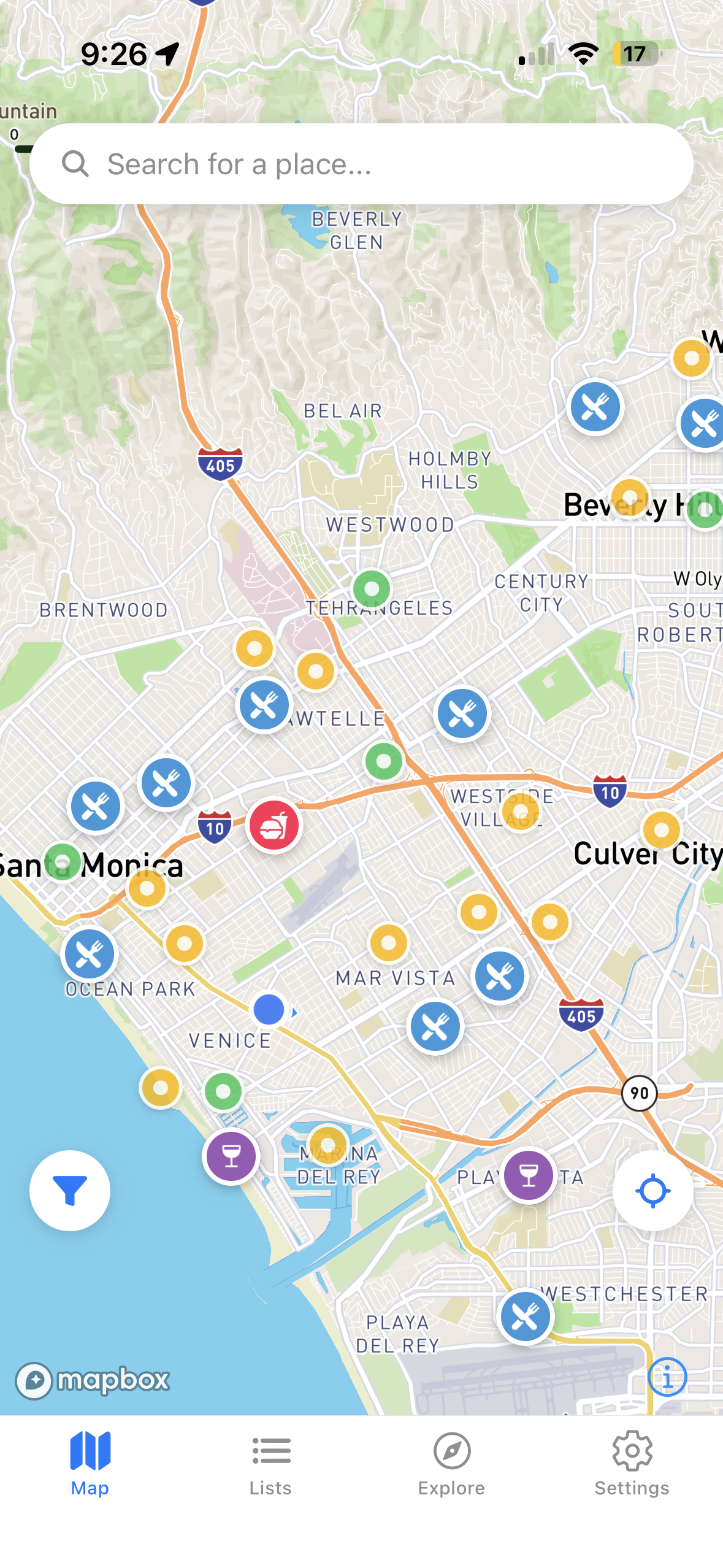
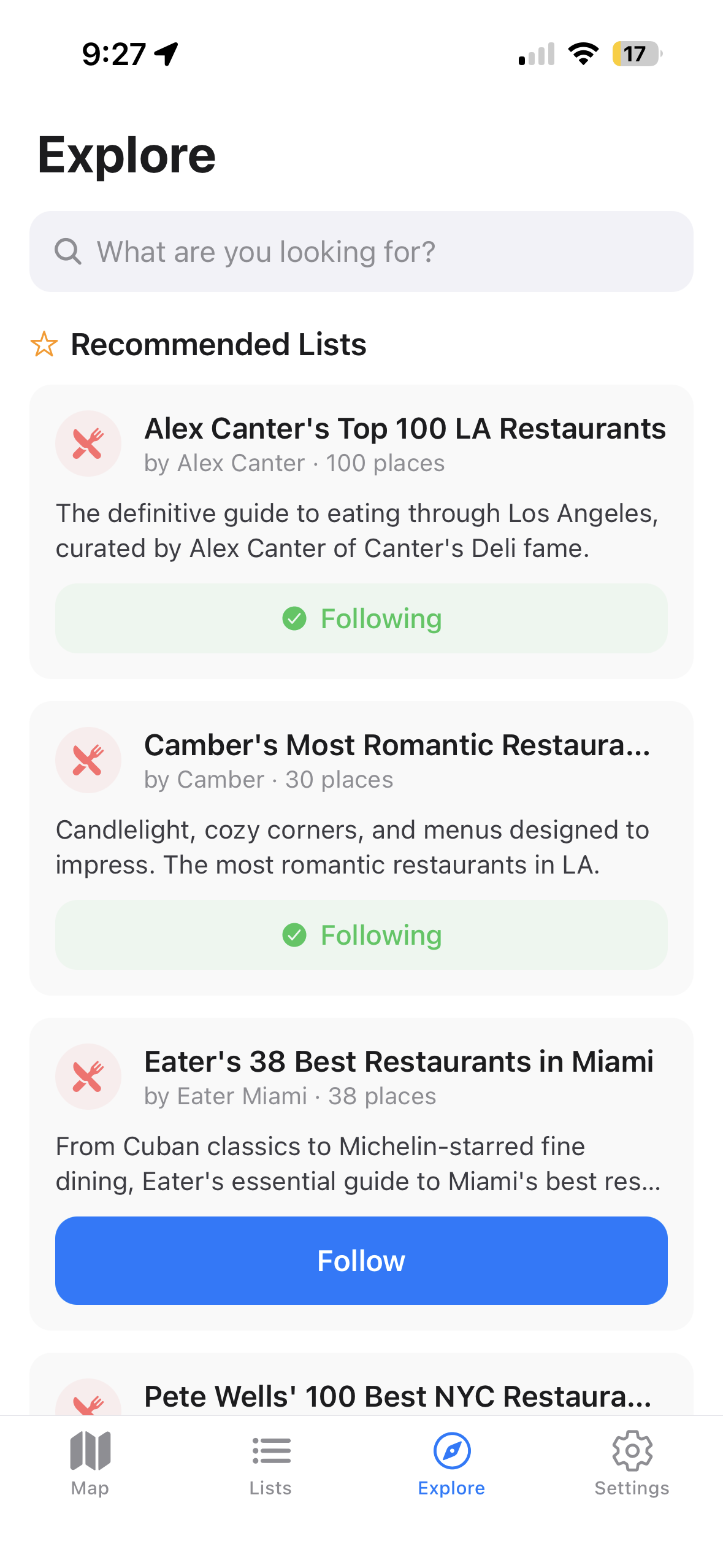
Follow curated lists from food critics and local experts. Alex Canter's Top 100 LA, Pete Wells' NYC 100, Eater's Miami 38 — instantly on your map.
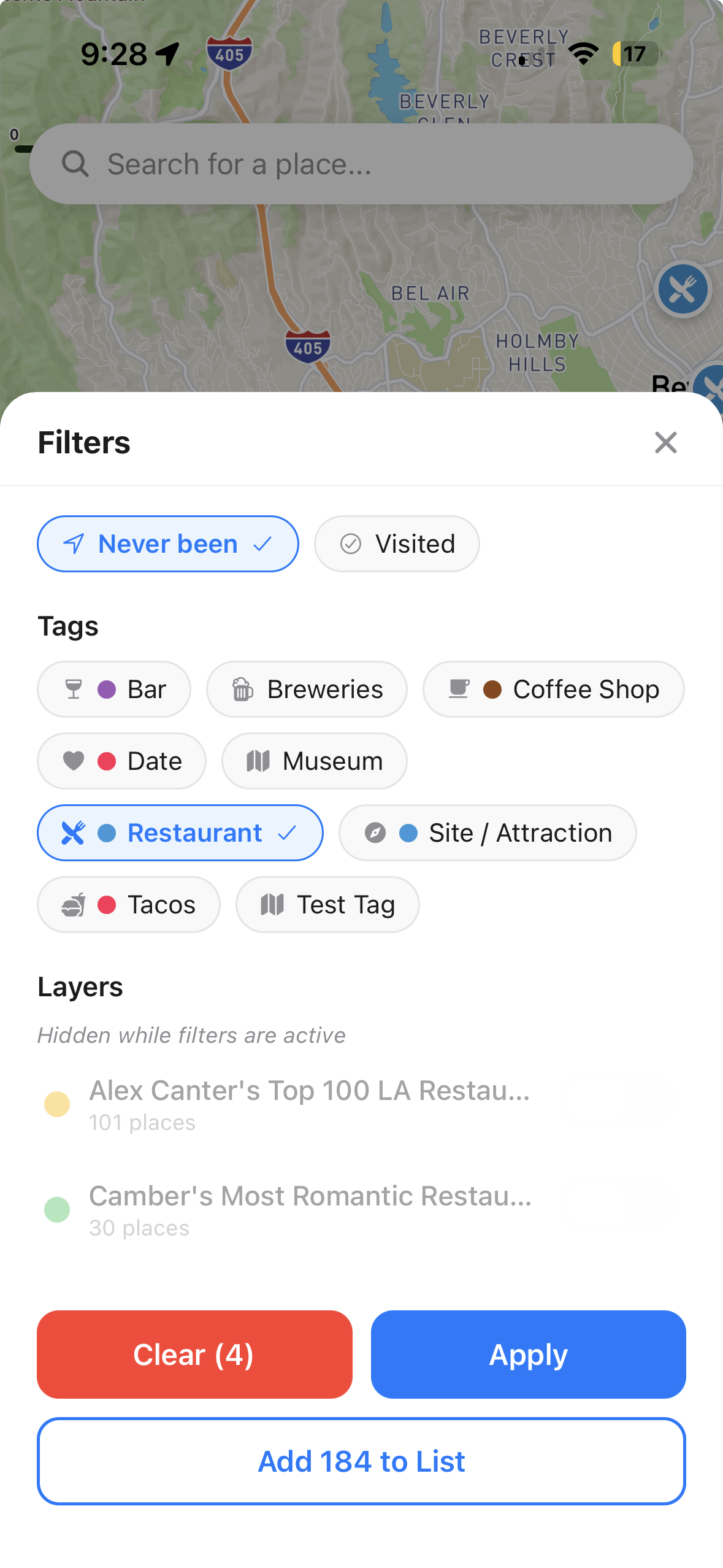
Date night spot you haven't tried? Taco places near you? Filter by tags, visited status, and more. Your map shows only what matters right now.
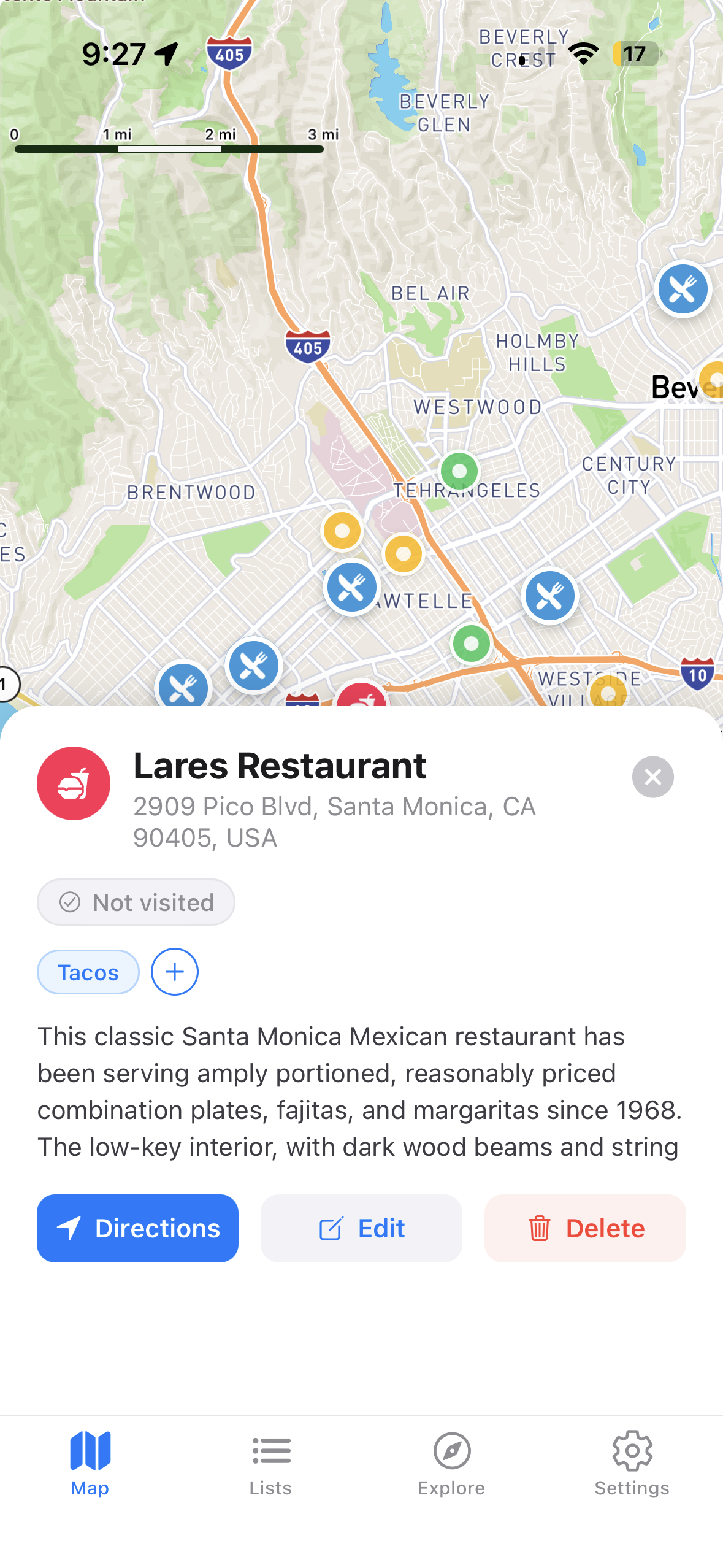
Every place gets your personal notes, tags, rating, and visited status. Your memory, organized. Never lose a recommendation again.
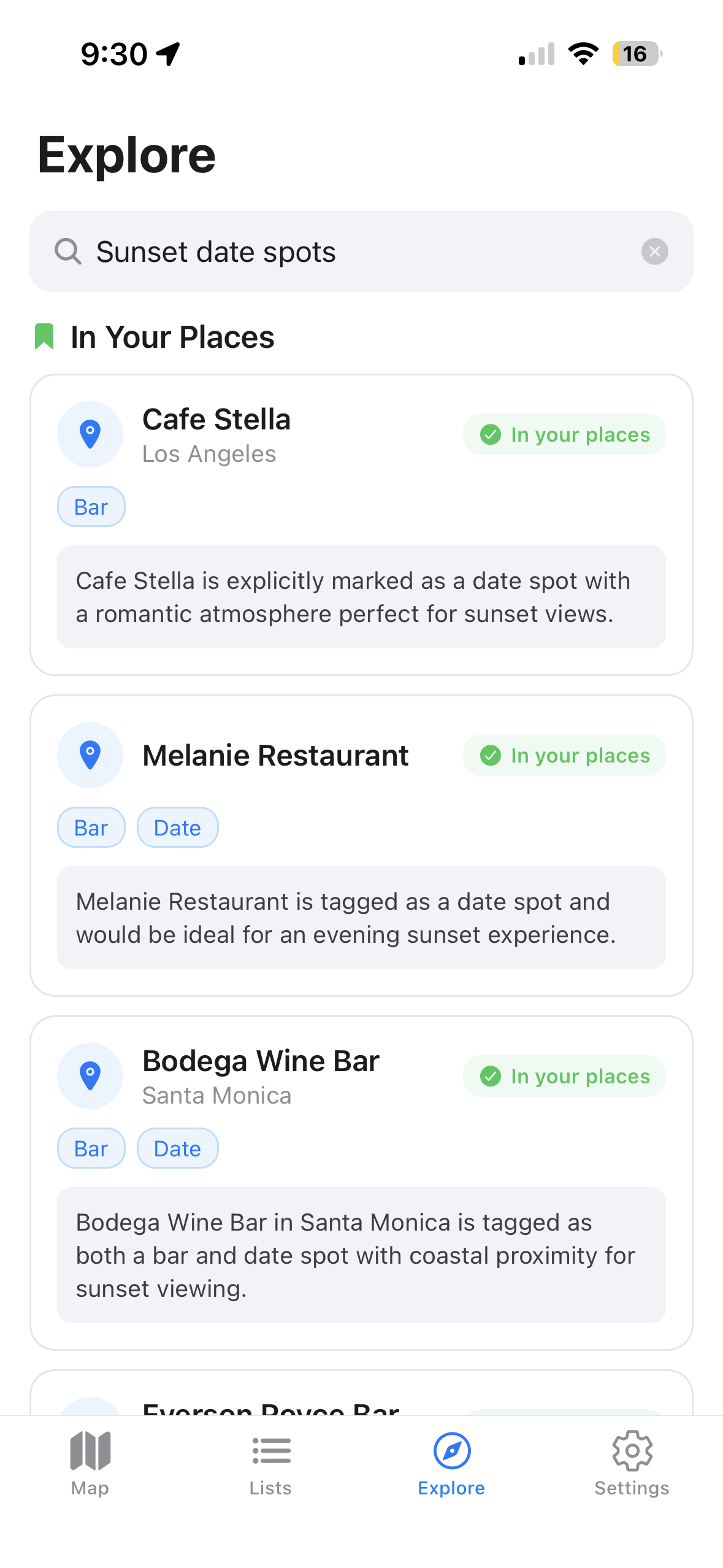
"Sunset date spots." "Best tacos near me." Search your saved places with AI and get personalized recommendations from your own collection.
Follow expert lists and fill your map instantly
Join via TestFlight. Takes 30 seconds.
Tap Follow on any expert list. 100 restaurants appear on your map instantly.
Search for a place, tag it, rate it. Build your personal food map over time.
No — Google Maps saves your places for Google. Spotlyst saves them for you. You get a private, organized map only you see, with personal notes, ratings, tags, and lists you can share with friends. Think of it as the difference between a public parking lot and your own garage.
Yes. We have a Chrome extension that imports your saved lists from Google Maps. Your places come in with names, addresses, and locations — then you can tag and organize them in Spotlyst. Get the extension →
Follow a curated list. Tap Follow on Alex Canter's Top 100 LA Restaurants and you'll have 100 restaurant pins on your map in one tap. Then start saving your own spots as you discover them.
Tags are how you find places (filter your map by "Restaurant," "Date Night," "Hidden Gem"). Lists are how you share them (create "My LA Favorites" and send the link to a friend). Tags are private. Lists can be shared.
Nobody, by default. All your places and lists are private unless you explicitly share a list by changing its visibility to "shared" or "public." Your personal map is yours alone.
Your places are yours. You can export everything at any time, and we don't delete your data if you go quiet for a while. We're not in the business of holding your restaurant history hostage.
No. Spotlyst only uses your location when the app is open to show nearby places and center the map. We don't track you in the background.
Curated lists come from real food writers, critics, and local experts — Alex Canter (Canter's Deli), Pete Wells (New York Times), Eater Miami, and others. No restaurant pays to be on a list. These are genuine editorial recommendations.
All the places from that list appear on your map as colored pins. You can toggle the layer on and off anytime from the filter panel. If the list creator adds new places, they automatically appear on your map.
No. Places you've imported to your own collection stay there permanently. Unsubscribing only removes the list's pins from your map layer. Your personal saves are never affected.
They need the app to subscribe and see places on their map. But you can also just text them the list link — it opens the app if they have it, or shows them what it is if they don't. We're working on web preview for non-users.
Not yet — right now, lists are created by one person and others can subscribe to follow them. Collaborative lists are on our roadmap and coming soon.
You create a list, add your favorite places, and share a link. Anyone with the link can follow your list and see those places on their own map. Your list stays live — if you add new places, followers see them automatically.
A text is a dead end. A Spotlyst list is a living map — your friends can subscribe to it, see every place on their map, and get updates when you add somewhere new. And when they ask "what's that place in Silver Lake?", the answer is one tap instead of a ten-minute scroll through your DMs.
Open the filter panel (tap the filter icon on the map) and tap "Clear" to remove all active filters. Your pins will reappear. Curated list layers are also hidden when filters are active — they come back when you clear.
Those are from curated lists you've followed. Each list has its own pin color. You can toggle them on/off in the filter panel under "Layers," or unsubscribe from the list entirely.
Yes — saving places, creating lists, and sharing with friends is completely free. We plan to offer a paid tier down the road for power features, but anything you build now stays yours regardless.
Join the TestFlight beta and start building your map.
Download on TestFlight